
MamaExch App: Safe Essential APK Download Guide 2026
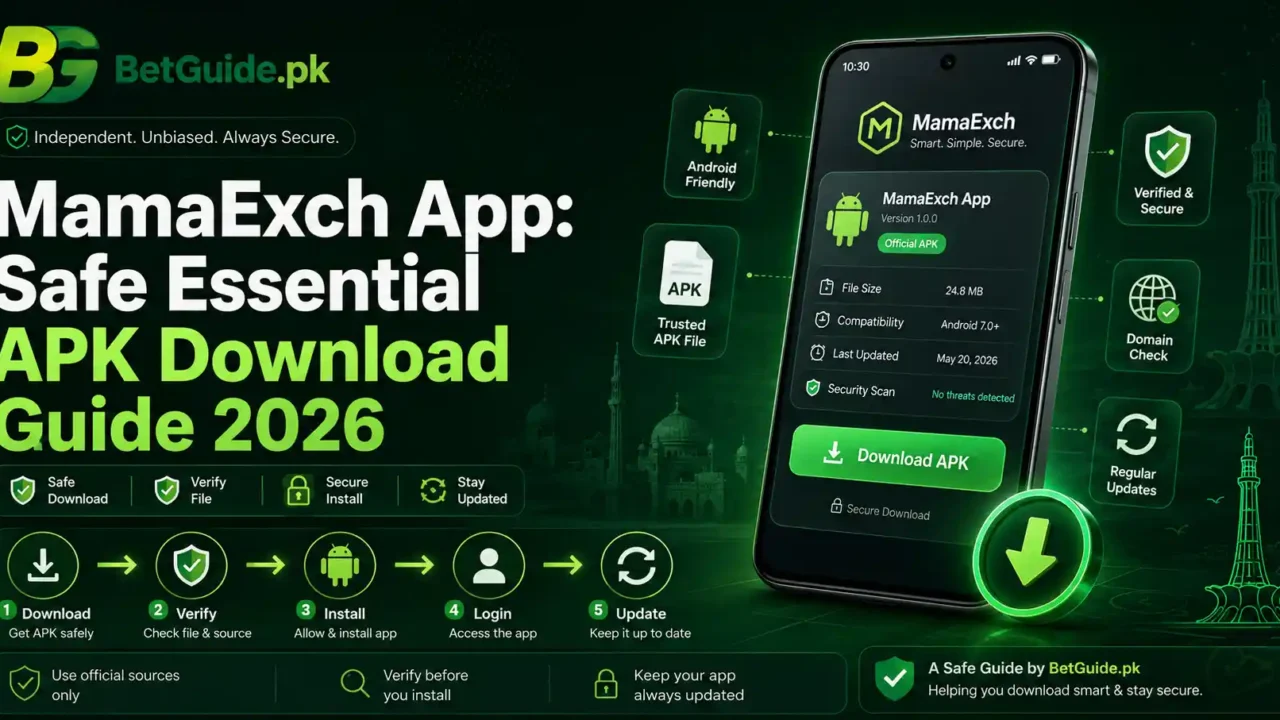
MamaExch App: Safe Essential APK Download Guide 2026
TL;DR
The MamaExch app gives Android users another way to access the same Mama Exch player account they use on the web. BetGuide.pk’s current Mama Exch parent guide documents Android APK access alongside browser access and says the same issued player ID and password are used on supported web and Android access. That makes the practical job simple: verify the route, download carefully, install only what you intended to install, and use your existing account rather than creating a second one.
A safe MamaExch app download is less about chasing a version number and more about checking where the file came from. At the time of this guide, the public MamaExch domain mainly exposes a login property, while BetGuide.pk’s current account guide confirms Android APK support but does not publish a fixed version number. That is why this article does not invent a “latest” build, package name, file size, Android requirement, or iPhone app claim.
If the MamaExch app does not install, open, or accept a working login, test the same account in a verified browser before resetting anything. A browser login that still works is useful evidence: the account may be fine, while the problem sits with the APK, app version, phone settings, storage, or installation state.
For account creation, password recovery, payments, or dealer help, use the Mama Exch Pakistan guide. This page is deliberately focused on the mobile-app journey.
Context
What Is the MamaExch App?
The MamaExch app is the Android APK access method used alongside the normal Mama Exch website. It is not a separate account product. The same issued player ID and password are used across supported web and Android access according to BetGuide.pk’s current parent guide.
APK is the Android application-package format used when software is installed outside a normal Play Store listing. Installing an APK can be legitimate, but the source matters. A copied file hosted on a random download page may look convincing without being the file you intended to install.
The Android app should therefore be treated like any other sideloaded application: verify the source, keep Android security protections active, read permission prompts, and avoid giving the app more access than it needs. Google says Play Protect can check apps installed from sources outside Google Play.
MamaExch App Download Intent: What People Are Really Looking For
Searches around the MamaExch app cluster are not all asking the same question. “MamaExch app download” usually signals a user who wants the file. “MamaExch app download APK” adds Android-install intent. “Latest version” searches often come from users trying to update or fix an older installation. “Old version” usually signals compatibility trouble. “MamaExch app login” means the app is already installed and the user needs account access.
This page therefore owns the full mobile journey: download, APK verification, installation, login, update checks, old-version decisions, troubleshooting, and browser fallback.
MamaExch App and the Main Mama Exch Account
If you already have an account, keep the same identity. Do not create duplicate accounts because an app error appears. Do not assume a new APK requires a new username. Do not send your password to somebody offering to “activate” the app.
If you do not have a player ID yet, stop here and use the Mama Exch Pakistan account guide. It covers signup, login, password recovery, dealer support, payments, and broader account questions without making the app article compete for that parent intent.
Is There a MamaExch App for iPhone?
This guide does not claim a dedicated iPhone or iOS app. BetGuide.pk’s current Mama Exch page directs iPhone and iPad users to browser access, while its app guidance is specifically framed around Android APK access.
That may change later. If it does, the article should be updated only after a current, verifiable iOS route appears. Until then, avoid configuration profiles, enterprise certificates, or “iOS APK” claims from random pages. APK is an Android format, so an “iPhone APK” claim is already a reason to stop and verify what you are being offered.
What Works
How to Complete a MamaExch App Download Safely
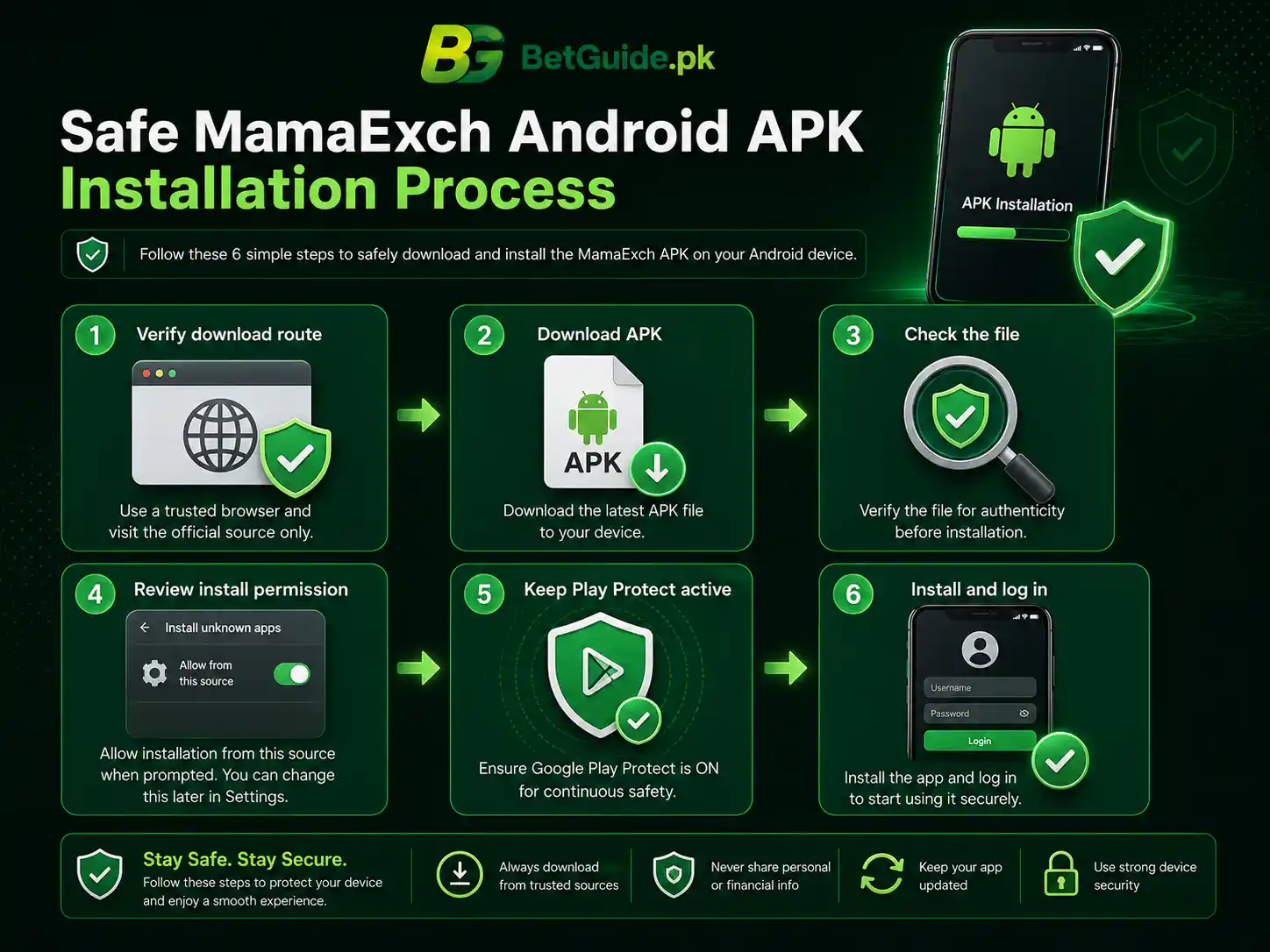
Start with the route, not the filename. A secure-looking name such as “MamaExch_latest.apk” proves very little by itself. Anyone can rename a file. What matters first is whether you reached the download through a Mama Exch route you already trust or through guidance you have independently verified.
Before downloading, check the full address in the browser. Look for obvious spelling changes, extra words, strange subdomains, or a completely unrelated host that appeared after a search ad or forwarded message. If you arrived from an unknown WhatsApp group, Telegram post, comment thread, or APK mirror, go back and verify the path independently.
Once you start the MamaExch app download, let the file finish. An incomplete APK can produce an installation error that looks like a compatibility problem. If your browser shows a download warning, read it instead of tapping through automatically.
Keep Google Play Protect enabled. Google says Play Protect checks apps installed from Google Play and can also inspect apps from other sources. If Play Protect produces a serious warning, treat it as information to investigate rather than something you must switch off to continue.
MamaExch App Download APK: What to Check Before Installation
This APK download process has a few practical checks that do not require technical expertise.
First, confirm that the file you intended to download is actually an APK. If you expected an Android application and received an EXE, ZIP, document, or unfamiliar installer, do not open it just because the page says “app.”
Second, check whether the download completed normally. A partial file may fail with “App not installed,” “Package appears invalid,” or another generic error.
Third, note which browser or file manager downloaded the file. Modern Android versions generally manage sideloading permission per source app. If installation permission is needed, give it only to the browser or file manager you are actually using, rather than enabling broad access everywhere.
Fourth, read the app’s permission requests after installation. Android lets users review and change app permissions in Settings. A request should make sense for the feature you are using. You do not need to approve every permission simply because the screen appears during first launch.
How to Install the MamaExch App on Android
After a verified APK finishes downloading, open it from the download notification or your Downloads folder. Android may tell you that the browser or file manager is not allowed to install apps from that source. The wording and menu location vary by Android version and phone brand.
If you choose to continue, allow installation for that specific source. Return to the APK, review the installation screen, and tap Install. Keep Play Protect active while Android performs its checks.
When installation finishes, open the app from the new icon rather than returning to the download page. This is a good moment to review the permissions the app requests. Android allows you to change permissions later under the app’s settings, so there is no need to approve unrelated access impulsively.
If the app will not install, do not immediately hunt for an older APK. Troubleshoot the current installation first. Storage, an incomplete download, a package conflict, or device settings can all create the same broad error message.
MamaExch App Login With Your Existing Player ID
MamaExch app login should use the same issued player ID and password you use on supported web access. The parent Mama Exch guide currently states that the same credentials work across the website and supported Android app.
Type the player ID carefully. Check capitalization, spaces, and any saved autofill value. Phones often remember an older password, which can make a correct account appear broken after you have changed the password elsewhere.
If the login fails, do not keep guessing. Open the verified Mama Exch website in your browser and test the same player ID and password. If the browser accepts them, your account credentials are probably still usable, and the problem is more likely to be app-specific.
If both web and app reject the login, move the investigation toward the account rather than the APK. The Mama Exch Pakistan guide covers dealer-assisted password recovery and the approved account-help flow.
MamaExch App Login Kaise Karein? Roman Urdu Help
MamaExch app install hone ke baad nayi ID banane ki zarurat nahin honi chahiye agar aap ke paas pehle se Mama Exch player ID hai. Wohi issued ID aur current password use karein jo supported website login ke liye use hota hai.
Agar login fail ho, pehle username ya player ID dobara check karein. Extra space, capital letter, ya saved old password problem create kar sakta hai. Password bar bar guess na karein.
Phir verified Mama Exch website browser mein open karke same ID aur password test karein. Agar browser login chal raha hai lekin app login fail hai, to account ko reset karne se pehle app, APK, update, cache, ya phone-side issue check karein.
Agar browser aur app dono par password reject ho raha hai, dealer-assisted recovery use karein. Kisi unknown person ko current password, OTP, wallet PIN, bank PIN, ya phone unlock code share na karein.
MamaExch App Download Latest Version: What “Latest” Should Mean
A “MamaExch app download latest version” search sounds like it should have one simple answer: a version number. In practice, hard-coding a number can make a guide stale the moment the platform changes the APK.
The safer definition of latest is “the current build offered through the verified route at the time you download.” If the platform clearly shows a version number, compare it with the version installed on your phone. If it does not, do not trust a third-party page simply because it writes “2026 latest version” in a headline.
This article deliberately avoids publishing a fixed version number because the current public sources we can verify do not provide one reliably enough to treat it as permanent. The current MamaExch public property primarily exposes login rather than a detailed version changelog.
If the Android app is working normally, you do not need to reinstall it every time a search result claims a newer APK exists. Update when the current platform route or the installed app gives you a reason you can verify.
MamaExch App Download APK Latest Version: A Better Verification Method
When users search “MamaExch app download APK latest version,” they are often trying to answer one of three questions: Is my copy outdated? Is the update genuine? Will a newer APK fix an error?
Treat those separately.
To check whether your copy may be outdated, look inside the app’s information screen or Android app details if a version is shown. Then compare it only with information from the current verified download route when available.
To verify an update, inspect where the update button or download link leads. An in-app message that suddenly sends you to an unrelated file host deserves more scrutiny than a normal route you already recognize.
To fix an error, do not assume “newer” is automatically the solution. A fresh download can help if the existing package is corrupted, but storage, permissions, Android compatibility, or a package conflict may still prevent installation.
The latest-version question is therefore a source-and-compatibility question, not a race for the largest version number.
Should You Use a MamaExch App Download APK Old Version?
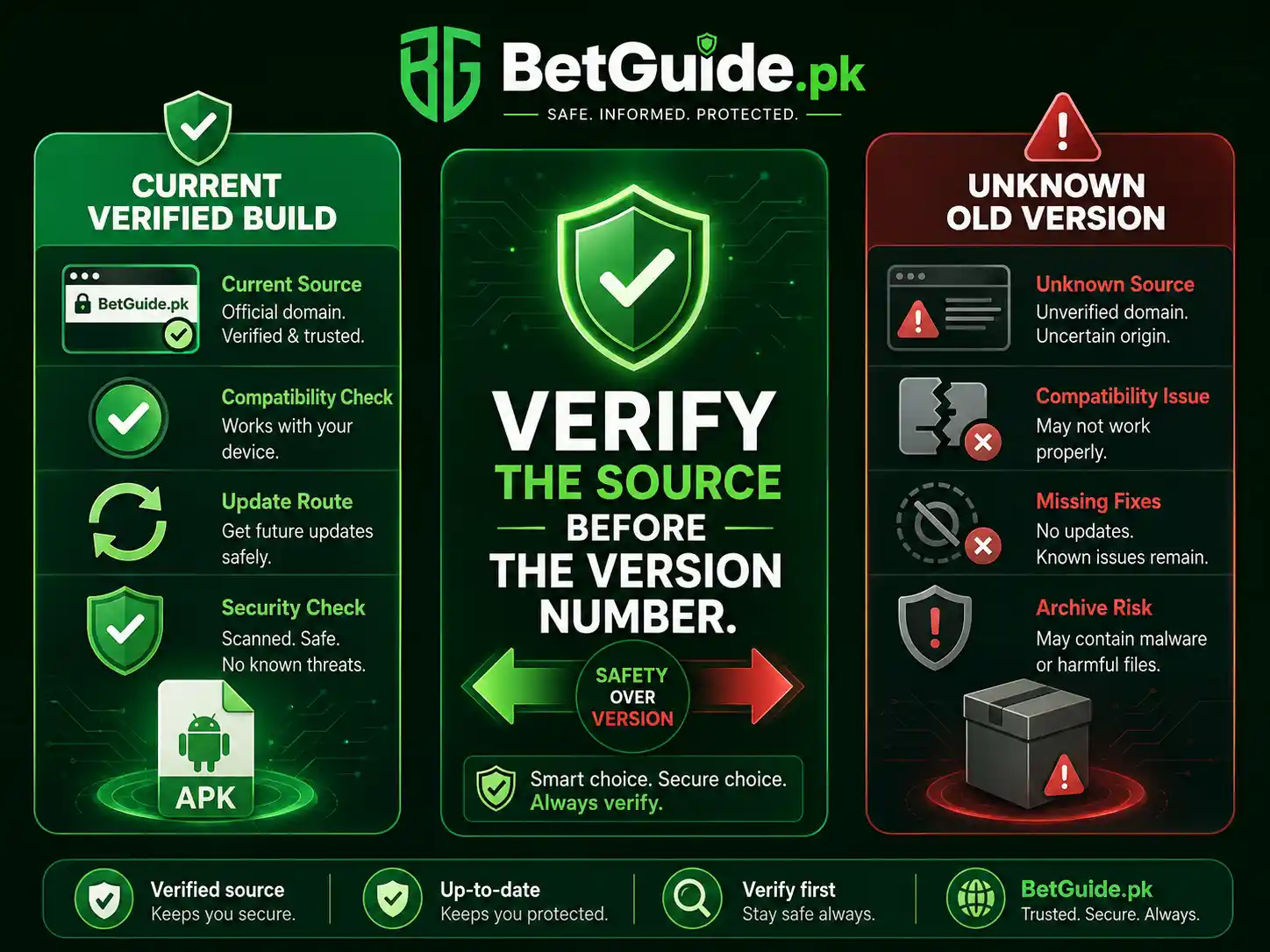
An old-version search usually appears after something has already gone wrong. Maybe the new APK will not install. Maybe the app closes on launch. Maybe an older phone handled the previous build better.
That does not make a random archive the right first step.
An older APK may be unsupported, may fail to connect to current services, or may come from a mirror you cannot verify. Even if the file is genuine, downgrading can create package conflicts or remove fixes delivered in a newer build.
Before looking for an old version, check free storage, restart the phone, download the current APK again from the verified route, and confirm that a previous installation is not conflicting with the new one.
If the platform itself provides an older compatible build for a specific device, that is a different situation because the source can be checked. Without that verification, browser access is a better temporary fallback than gambling on an unknown archive.
MamaExch App Not Installing? Start With These Checks
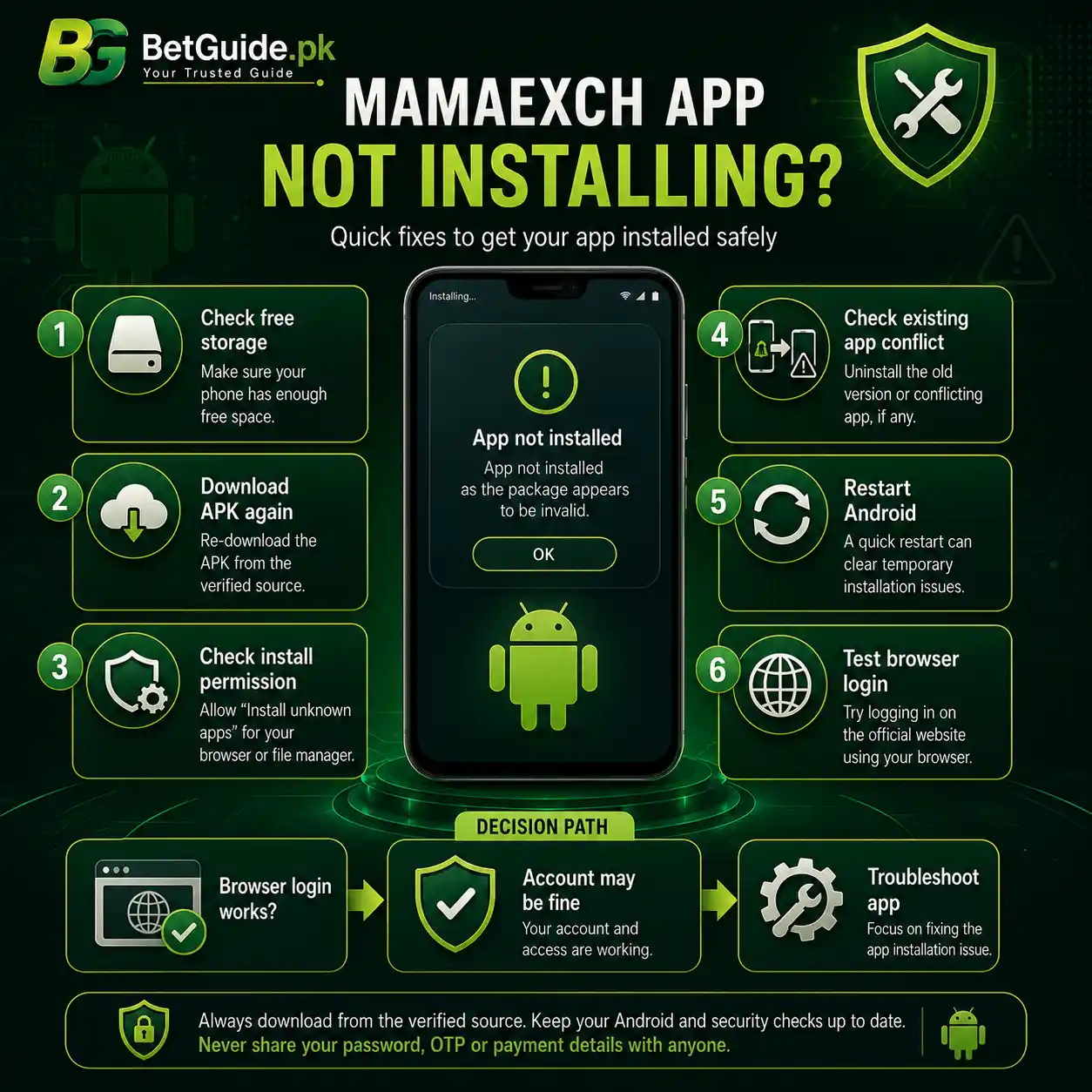
“App not installed” is a broad Android message. It does not automatically mean the app is fake, blocked, or incompatible.
Start with storage. If the phone is nearly full, clear enough space for the package and the installed application.
Then download the APK again from the verified route. A damaged or incomplete file can fail before Android gives you a useful explanation.
Check the install permission for the source app you used. If the browser or file manager cannot install unknown apps, Android may stop the process. Give permission only where needed.
Look for an existing Mama Exch installation. An older package signed differently or installed from another route can sometimes conflict with an update.
Restart the phone and try once more. If Android or Play Protect shows a security warning, stop and read it. Do not disable security protections as a routine troubleshooting step. Google recommends keeping Play Protect active.
If it still refuses to install, use the browser while you investigate device compatibility or wait for a verified new build.
APK Downloaded but the MamaExch App Will Not Open
If the APK downloaded successfully but tapping it does nothing, first confirm you are opening the actual file from Downloads rather than a broken browser notification.
If the installation completed but the app icon will not launch, restart the phone and try again. Check whether Android reports that the app keeps stopping or whether it closes without a message.
Open Android Settings, find the app, and review storage and permissions. Clearing cache can help with temporary data problems. Be more careful with “Clear storage” or “Clear data,” because that can remove local settings and saved login information.
If the problem began immediately after an update, do not reset the player password simply because the app fails to open. A launch failure occurs before authentication and usually points elsewhere.
Test the web login. If the account still opens normally in the browser, keep using that route while troubleshooting the app.
MamaExch App Keeps Closing or Freezing
An app that launches and then closes is different from an APK that never installs. Treat it as an app-state or compatibility problem first.
Close other heavy apps and make sure the phone has free storage. Restart the device. If the problem affects only one screen, note what you were doing before the freeze.
If the app recently updated, confirm that the update came from the route you intended to use. A clean reinstall from the verified source may help if application files became corrupted, but keep your player ID and recovery path available before removing anything.
If the browser version works on the same phone, that comparison is valuable. It suggests the network and account may still be functional. You can continue using the browser instead of repeatedly reinstalling the APK.
Trade-offs
MamaExch App vs Browser: Which Access Method Is Better?
The Android app can be convenient for regular users. It creates a direct icon, avoids reopening the browser each time, and may feel more natural on a phone.
The browser has advantages too. It requires no APK installation, uses less device storage, and remains available when an app update fails. For troubleshooting, the browser is especially useful because it gives you a second way to test the same account.
Neither method removes the need to verify where you are entering credentials. A browser can still land on a lookalike domain, while an APK can still come from an unverified source.
Use the app when the source is verified and it works reliably. Keep the browser as a fallback rather than treating app access as mandatory.
Latest Version vs Old Version: The Real Trade-off
The phrase “latest version” sounds safer than “old version,” but the source remains the deciding factor. A fake or modified file can be labeled latest. A genuine older build can still be incompatible or unsupported.
New builds may contain fixes and compatibility changes, but they can also expose problems on older devices. Old builds may feel familiar, but they can miss fixes or stop connecting correctly.
The practical choice is to prefer the current verified build, troubleshoot it methodically, and use browser access if your phone cannot run it. Only move to an older build when the platform itself provides or confirms that route for a real compatibility reason.
Convenience vs Security Prompts
Sideloading adds steps that Play Store users may not normally see. Android may ask whether a browser can install unknown apps. Play Protect may inspect the package. The app may request permissions after launch.
Those prompts can feel inconvenient, but skipping them mentally is the wrong response. They are moments where you can notice that the source, file, or requested access is not what you expected.
The goal is not to make every prompt disappear. It is to understand why the prompt appeared and approve only what matches the action you chose.
Next Steps
MamaExch App Quick Start for Pakistan
If you already have a Mama Exch player account, begin with the verified mobile-access route rather than a Google search for a random APK. Download one current file, keep Play Protect active, and let the download finish fully.
Install the app through the specific browser or file manager you used. Review the installation screen and permissions. Then sign in with the same issued player ID and current password used on supported web access.
If the app fails, separate the problem. A download failure is not a password problem. An installation failure is not automatically an account problem. An app that will not open should be tested before any password reset. An app that rejects a login should be compared with the browser.
Use the Mama Exch Pakistan guide when the issue moves beyond the app into account creation, password recovery, deposits, withdrawals, or dealer support.
How Do I Download the MamaExch App in Pakistan?
Use a Mama Exch route you have independently verified and follow the current Android APK access path. Avoid random mirrors, forwarded APK files, and pages that cannot be connected to the account route you trust. Keep Android security checks active during installation.
Can I Use My Existing Login in the MamaExch App?
Yes. BetGuide.pk’s current Mama Exch account guide states that the same issued player ID and password work on supported web and Android access. You should not need a second player account simply to use the app.
What Should I Do if the MamaExch App Latest Version Will Not Install?
Check free storage, redownload the current APK from the verified route, review the source-specific install permission, look for an existing app conflict, and restart the phone. If it still fails, use browser access while you investigate compatibility instead of installing a random old APK.
References
BetGuide.pk’s current Mama Exch Pakistan guide is the parent source for the account model used here. It currently documents Android APK plus browser access, says the same issued ID is used for supported app login, and directs detailed app questions to this dedicated guide.
The public MamaExch website currently presents a login property rather than a detailed public app-version page. For that reason, this guide does not publish a fixed APK version, package name, file size, Android requirement, or dedicated iOS-app claim.
Google Play Protect documentation explains that Play Protect checks apps for potentially harmful behavior and can check apps installed from sources outside Google Play. Android’s permission guidance also explains how users can review and change access for individual apps.
Conclusion
Need Help After Installing the MamaExch App?
Do not turn a small app problem into a larger account problem.
If the app will not download, check the route, connection, and storage. If the APK will not install, check the file, installation permission, existing package, and Android warning. If the app will not open, test the browser before touching the password. If the app opens but rejects login, compare the same credentials on the verified website.
For a new player ID, forgotten password, deposit, withdrawal, or dealer-assisted account issue, continue to the Mama Exch Pakistan guide. That parent page owns the broader account journey.
BetGuide.pk provides independent guidance and does not operate Mama Exch, hold platform balances, control platform uptime, or guarantee withdrawals or betting outcomes.
Betting involves financial risk. Use only discretionary money, set limits before you start, and do not treat any app, platform, bonus, or betting system as guaranteed income.
The useful rule is simple: verify the app source, protect the account, install deliberately, and keep the browser available when the app is not the best route on your phone.