
BPExch App for PC: Safe Essential Browser Guide 2026
BPExch App for PC: Safe Essential Browser Guide 2026
TL;DR
BPExch app for PC is a misleading search phrase if you expect a Windows program to download and install. For the BPExch access covered by BetGuide.pk, desktop use is browser based. A Windows laptop or desktop should open a confirmed BPExch web address in a current browser, check the domain carefully, and sign in with the issued account credentials. There is no separate PC application in the process covered by this guide.
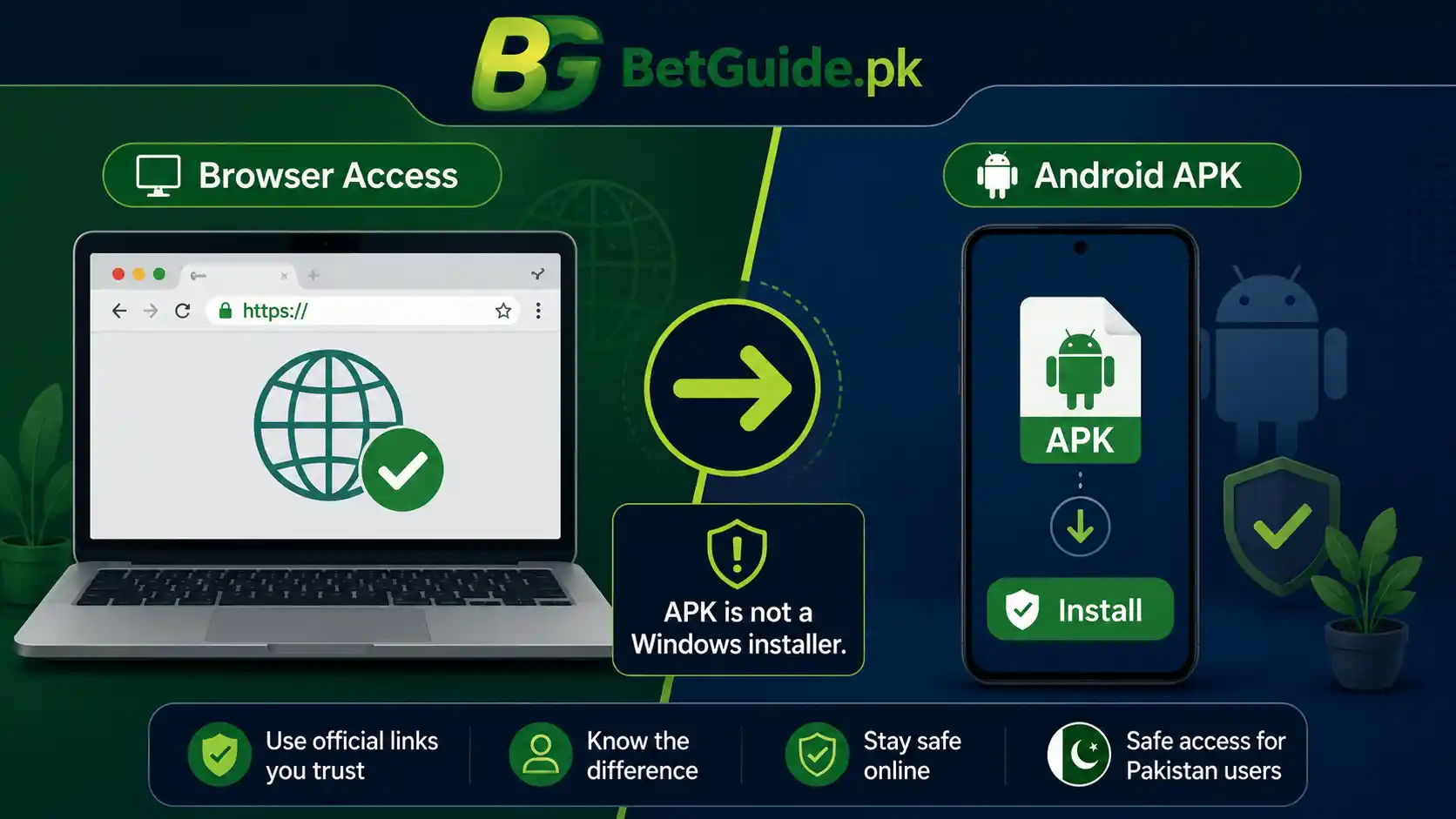
That distinction matters because search results can mix Android APK instructions, emulator tutorials, unofficial download pages, and ordinary browser access. An Android APK is not a Windows installer. If a page offers a “BPExch PC app” or “BPExch app for PC free download,” do not assume the file is required or approved simply because the filename or page uses the platform name.
For broad platform, domain, and account information, use the BPExch Pakistan guide. If you need an account rather than desktop access, follow the BPExch registration guide or the BetPro ID Pakistan guide. Android users looking for an APK should use the separate BPExch Live APK guide after its download route has been verified as current.
Adults aged 18 or older should treat betting as financial-risk activity. Browser access does not make betting safer financially, and no platform, account, strategy, or guide can guarantee profit.
Context
Why people search for a BPExch app for PC
The phrase BPExch app for PC usually reflects a practical question rather than a technical one: “How do I use BPExch on my laptop or desktop?” Searchers may expect every online service to have a Windows application because phones commonly use apps. On desktop systems, however, a web platform can provide the full login route through a browser without requiring a separate installed program.
For the BPExch account ecosystem covered by BetGuide.pk, that is the important answer. The current BPExch parent guide identifies web access through confirmed BPExch domains and explains that the same issued username and password are used across those confirmed access points. The current bpexch.live route also resolves to a web login interface rather than presenting a Windows software download.
This is why the wording “app for PC” should not push a reader toward a download that is not needed. The useful task is to reach the correct web login, protect the credential set, and distinguish browser access from Android APK access.
Browser based does not mean “open any BPExch-looking page”
A browser makes access simpler, but it does not remove phishing risk. A copied login page can look convincing while sending credentials somewhere else. The BPExch Pakistan guide therefore treats domain checking as part of login safety, not as an optional technical detail.
Before entering a username or password, read the whole address in the browser bar. Avoid shortened links, forwarded login pages, unfamiliar subdomains, and search advertisements that imitate a known name. If you reached a login page through an unsolicited WhatsApp message, social post, or group, compare the destination with BetGuide.pk’s currently confirmed domain list before signing in.
Pakistan’s National CERT also warns that phishing campaigns use trusted branding, urgency, deceptive hyperlinks, and counterfeit sites to capture credentials or deliver malware. That general security lesson applies strongly to searches for downloadable platform software: the more urgently a page pushes a file, extension, or login, the more important independent verification becomes.
BPExch PC access versus Android APK access
Post #28 covers the Android-specific phrase bpexch live apk. That article exists because an APK is a package used for Android installation. The present article answers a different question: what a Windows or desktop user should do when searching for BPExch app for PC.
Do not merge those two workflows. A laptop running Windows should not need an Android APK simply to reach a browser-based BPExch login. Likewise, an Android download route should not be repackaged in this article as though it were a Windows application.
This separation also prevents a common problem in search results: some pages recommend Android emulators or downloads without establishing that such a route is necessary for the platform. BetGuide.pk does not recommend an emulator merely to imitate a phone on a PC when confirmed browser access already serves the desktop task.
What a new user actually needs
A new user may search for a PC app before having an account. In that case, software is not the first requirement. The account flow covered by BetGuide.pk uses the dealer-issued BetPro ID model. The issued username and password are then used for confirmed BPExch access.
If you do not yet have an account, read the BPExch registration guide and the BetPro ID account guide rather than downloading random PC software. Those pages explain the account relationship and the safer route for obtaining the underlying credentials.
If you already have an issued ID, the desktop task is simpler: verify the current web address, open it in a current browser, enter the existing credentials, and check that the account information shown after login is the account you expect.
What Works
BPExch app for PC works through the browser
The safest working model for this guide is straightforward: treat BPExch on a PC as browser access, not as a Windows application installation. Open a current browser on the computer, use a BPExch address that BetGuide.pk currently lists as confirmed, and sign in using the issued account credentials.
At the time this package was prepared, the BPExch parent page listed bpexch.com, bpexch.net, and bpexch.live as confirmed access points for the account flow it covers. Those domains must be rechecked on the publication date because domain availability can change. The parent guide, not an old screenshot or downloaded bookmark list, should remain the current BetGuide reference.
The bpexch.live address currently redirects to a web login interface with username and password fields. That supports the browser-based desktop model. It does not establish a separate Windows program, and this article should not imply that one exists.
Step 1: start from a current confirmed route
Do not begin by searching for “BPExch PC setup.exe,” “Windows app,” or similar file terms. Start with the web route. Use the current BPExch domain guide to confirm which access addresses BetGuide has reviewed.
Type or open the confirmed address, then compare the browser bar carefully before entering credentials. Pay attention to spelling, the top-level domain, extra words before or after the brand, and redirects to unfamiliar sites. A familiar logo is not enough to establish that a page belongs to the access route you intend to use.
If the domain list changes between the date this article was written and the date you read it, follow the current parent guide rather than preserving an older address from memory.
Step 2: use a current desktop browser
A modern browser is the required software layer for the PC workflow described here. Keep the browser and operating system updated through their normal vendor update mechanisms. An outdated browser can create compatibility problems and may also miss security fixes.
If the page does not load correctly, refresh once, confirm the internet connection, and try another current browser before assuming the account is blocked. The BPExch parent guide already separates browser-loading problems from credential problems and account-status issues. That diagnosis matters because repeatedly changing passwords or requesting another account does not fix a local browser problem.
Avoid installing unknown browser extensions that promise BPExch shortcuts, predictions, automation, bonuses, or one-click login. A normal browser bookmark to a confirmed address is enough for convenient repeat access.
Step 3: sign in with the issued credentials
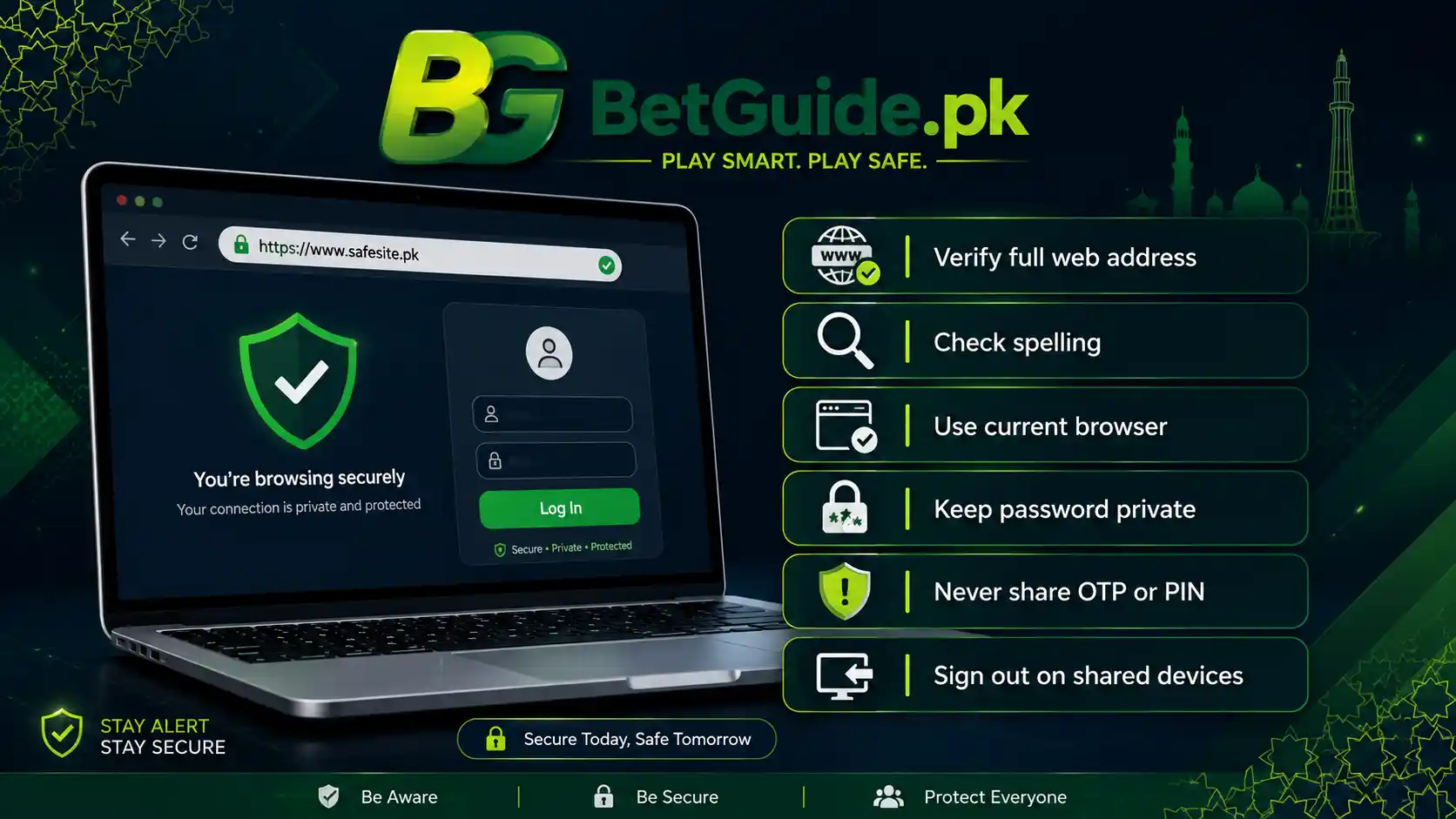
Existing users should use the same issued username and password associated with the BPExch/BetPro account ecosystem covered by BetGuide.pk. Do not create a second account merely because you moved from a phone to a PC.
Enter the username carefully and check password capitalization. If autofill inserts an old password, remove it and type the current credential manually. Once signed in, confirm that the displayed account details match the account you expected before doing anything involving funds.
Never send the current password, one-time password, banking PIN, wallet PIN, recovery code, or device-unlock code to someone offering remote setup help. A request to “verify your PC app” is not a reason to disclose authentication secrets.
Step 4: understand what “free download” really means here
The supporting keyword bpexch app for pc free download has current search demand, but the accurate answer is that no PC application download is required for the browser-based workflow covered by this guide. The useful “free” component is ordinary browser access; it is not a downloadable Windows client supplied by BetGuide.pk.
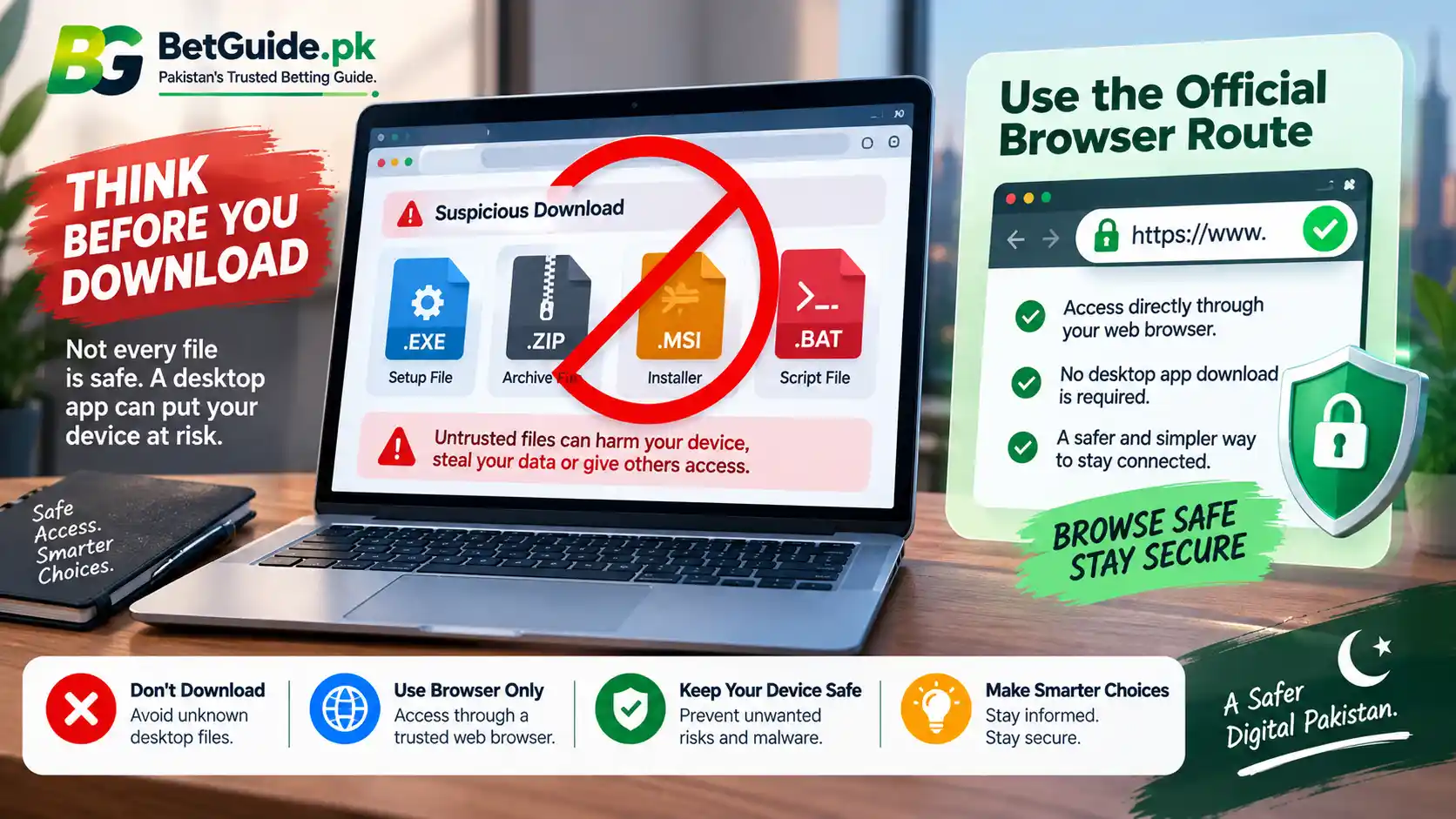
If a third-party page presents an EXE, MSI, ZIP archive, modified APK, emulator bundle, or browser extension as a necessary BPExch PC download, stop and verify the source before opening it. BetGuide.pk does not provide a Windows installer and does not validate a file simply because another website labels it BPExch.
This is a case where answering the search phrase literally would be less useful than correcting the assumption behind it. A user wants access, not an unnecessary file. The confirmed web route solves that access problem with fewer moving parts.
Step 5: bookmark the web route only after checking it
Once you have independently confirmed the domain, bookmarking the page can reduce the temptation to rely on fresh search results every time you log in. A bookmark is convenient because it preserves the exact address you checked.
However, a bookmark is not permanent proof that a domain will always remain the recommended route. If access suddenly changes, a redirect looks unusual, or BetGuide.pk updates its confirmed-domain guidance, recheck before entering credentials.
Do not bookmark a shortened URL or a login page reached through an unknown message. Bookmark the confirmed domain after verification, not the first result that happens to load.
What if you want app-like convenience on a PC?
You can keep the experience simple without turning the website into an invented Windows app. After verifying the current domain, use your browser’s normal bookmark or shortcut features if you want faster access later. The exact controls differ between browsers, so follow the browser’s own menu rather than downloading a third-party “BPExch launcher.”
A shortcut only opens the web address; it does not create a new account, change your credentials, install the Android APK, or prove that the domain will remain current forever. Treat it as convenience, not verification. If the saved shortcut later redirects somewhere unexpected, stop and compare the destination with the current BPExch parent guide before signing in.
Also avoid software that promises automatic login, market predictions, account unlocking, balance tools, or “PC optimization.” Those features are not required for the browser route described here. Adding unnecessary programs increases the number of places where credentials, browser sessions, or financial information could be exposed.
Keep the desktop workflow deliberately minimal.
Step 6: keep the PC itself reasonably secure
Browser-based access shifts attention from app installation to device and account hygiene. Use the computer’s normal operating-system updates, keep security protections enabled, and avoid logging in from a shared or public PC where other people may be able to view saved credentials or browser history.
If the browser offers to save the password, consider whether the device is private and protected before accepting. On a shared family, office, gaming-shop, or public computer, do not save the credential. Sign out when finished and avoid leaving the account open in a background tab.
Be cautious with remote-access software. Someone who controls your screen may be able to observe login details, account information, or financial activity. Do not install remote-control tools because an unsolicited contact says they are necessary to “activate” BPExch on Windows.
Step 7: separate login trouble from PC trouble
If the browser opens but the username or password fails, the issue is not automatically a missing app. Recheck the address, username spelling, password, caps lock, and any old autofill value.
If the page itself fails to load, test the connection and another current browser. If one confirmed BPExch address is temporarily unavailable, consult the current BPExch parent guide for other confirmed access points rather than downloading software from an unrelated site.
If the issued credential still fails across a confirmed route, use the original provider or confirmed support path for account-specific help. Do not create duplicate IDs simply to solve an access problem, and do not pay someone for a “PC activation code” unless the requirement has been independently confirmed from the actual account route.
Step 8: route Android questions to the Android guide
A desktop article should not become a second APK article. If your real goal is to install BPExch-related Android access on a phone, use the BPExch Live APK guide after confirming that it is live and that its download route remains current.
That guide can address APK source checking, Android installation, permissions, and the difference between Android and iOS. This PC guide should remain focused on browser-based Windows or desktop access.
Keeping the boundaries clear helps readers avoid two opposite mistakes: downloading Android files on a PC when they are unnecessary, or assuming a Windows file exists simply because an Android app does.
Step 9: connect desktop access to the right account guide
Someone who reaches the browser login page but does not have an ID should not guess at registration. The broad BPExch Pakistan page explains the relationship between BPExch access and the BetPro ID ecosystem, while the BPExch registration guide goes deeper into signup terminology.
If you need the underlying account-creation model, use the BetPro ID Pakistan guide. If you already have an account and want to understand wallet terminology, use the BPExch Wallet guide.
The goal is to solve the actual task with the page that owns it. PC access, account creation, wallet access, Android APKs, deposits, and password recovery are related, but they are not the same problem.
Step 10: set financial limits before desktop use
A larger screen and easier navigation can make browsing markets more comfortable, but convenience does not change financial risk. Decide how much you can afford to lose before depositing or placing a bet, and do not increase that amount because a market, tipster, or live event creates urgency.
Use BetGuide.pk’s Responsible Gaming guide for practical limit-setting and warning signs. Avoid chasing losses, borrowing to continue, or treating betting as reliable income.
If the activity begins interfering with money needed for bills, work, sleep, relationships, or other responsibilities, stop. Technical access should never be confused with a reason to keep gambling.
Trade-offs
Browser access is simpler, but search results can be confusing
The main advantage of browser-based PC access is simplicity. There is no Windows application installation step in the workflow covered here, so users avoid unnecessary software and can concentrate on verifying the web route and credentials.
The trade-off is that the search phrase itself invites misleading results. A page can rank for “BPExch app for PC” while offering an Android file, an emulator tutorial, an unverified Windows download, or a generic casino application. Search visibility does not prove that the software is required, current, or connected to the account route you use.
That is why this guide favors a verified browser route over software claims that add complexity without a confirmed need.
A browser bookmark is convenient, but it can become stale
Saving a confirmed login page can reduce repeated search exposure. However, domain arrangements can change. A bookmark that was correct months ago should not override a newer current-domain notice.
When something looks different, compare the address against the current BPExch Pakistan guide. Treat the parent page as the maintained BetGuide reference and this article as the desktop-use explanation.
No download means fewer files, not zero security risk
Avoiding an installer removes one obvious malware route, but phishing and credential theft remain possible in a browser. Fake login pages can collect usernames and passwords without asking you to install anything.
National CERT guidance highlights deceptive links, impersonation, malware delivery, and credential harvesting as recurring cyber risks. Check the address before login, distrust urgent requests for secrets, and avoid opening attachments or downloads sent by unverified contacts.
Desktop access can feel more professional than it is
A PC interface can display more information at once, but a larger screen does not improve the odds of a bet or reduce market uncertainty. Do not interpret technical convenience as a financial advantage.
The same 18+ and responsible-use principles apply on Windows, Android, iPhone, or any other access device. No browser, platform, account type, or strategy guarantees returns.
Existing users and new users have different next steps
An existing account holder mainly needs safe domain and credential handling. A new user needs to understand the account model before login.
Trying to solve both problems by searching for software can create unnecessary risk. Existing users may download something they do not need, while new users may assume a file creates an account. Keep the sequence clear: account first when needed, then confirmed browser access.
Next Steps
For existing BPExch users
Open the current BPExch Pakistan guide, confirm the presently listed web access points, and use a current browser on your PC. Sign in with the issued username and password, confirm the expected account details, and keep authentication secrets private.
If the page does not load, troubleshoot the browser and connection before changing account details. If credentials fail on a confirmed route, use the original provider or a support path you can verify rather than creating duplicate accounts or accepting an unsolicited recovery offer.
For people who do not yet have an account
Do not download a supposed PC application as a substitute for registration. Read the BPExch registration guide and the BetPro ID Pakistan guide to understand the account path covered by BetGuide.pk.
Once an account has been issued, desktop access uses the confirmed browser route. The computer does not require a separate betting ID from the one used for the supported account ecosystem.
For people searching specifically for a download
If your query is bpexch app for pc free download, the important correction is simple: the PC access described here is browser based, so there is no Windows application download required. Do not install a file merely to satisfy the word “download” in your search.
If you actually meant an Android APK, switch to the Android-specific guide. If you encounter a claimed Windows installer, emulator bundle, or extension, verify it independently before opening anything and do not treat BetGuide.pk as endorsing it.
FAQs
Is there a BPExch app for PC?
Not in the desktop workflow covered by this guide. BPExch access on a Windows PC is browser based. Use a currently confirmed web address in a current browser instead of looking for a separate Windows application.
Can I download BPExch for PC for free?
There is no PC application download required for the browser-based route described here. Be cautious with websites offering Windows installers, ZIP files, emulator bundles, or extensions under the BPExch name unless a current approved source independently confirms them.
Can I use my existing BPExch or BetPro ID on a PC?
For the account ecosystem covered by BetGuide.pk, the same issued username and password are used for confirmed BPExch web access. Moving from a phone to a computer does not by itself require a second account.
References
This guide is grounded first in current BetGuide.pk production information. The BPExch Pakistan account and domain guide currently documents the confirmed browser-access model, account relationship, credential use, and domain-safety checks. The current bpexch.live address resolves to a web login interface, supporting the browser-based PC explanation.
For account creation and terminology, BetGuide.pk’s BetPro ID Pakistan guide and BPExch registration guide provide the relevant underlying account path. The Android-specific BPExch Live APK guide remains a separate mobile topic and should be retained as a link only after its publication URL is verified as live.
For general cybersecurity context, Pakistan’s National CERT publishes guidance on phishing, deceptive links, malware, credential harvesting, password protection, and suspicious messages. Those sources support the security principles in this article but do not establish platform-specific account procedures.
Conclusion
If you searched for BPExch app for PC, the practical answer is to use verified browser access rather than hunt for a Windows installer. Start with the BPExch Pakistan guide, confirm the current domain, and protect the issued credentials before logging in.
Need an account first? Use the BPExch registration guide or BetPro ID Pakistan guide. Need Android installation information instead? Use the BPExch Live APK guide once its current route is verified.
BetGuide.pk is an independent informational website. It does not operate BPExch or BetPro Exchange, create accounts, control platform domains, hold balances, process deposits or withdrawals, or guarantee access or financial outcomes. This guide is for adults aged 18 or older. Betting involves financial risk, and no account, platform, browser, tip, or strategy can guarantee profit.