
BPExch Live APK: Safe Essential Android Guide 2026
BPExch Live APK: Safe Essential Android Guide 2026
TL;DR
BPExch Live APK searches usually come from people who want mobile access to the BPExch ecosystem on Android, but the safest route is not to install any file simply because its name contains “BPExch.” BetGuide’s current BPExch guidance confirms bpexch.com, bpexch.net and bpexch.live as the covered web access points, while BPExchange Wallet currently maintains a separate Android download guide reviewed for this article. New users should understand the account route first; existing users should protect the issued credentials they already have.
For Android, start with the current BPExchange Wallet Android guide and use its maintained Download Android APK button. The button currently routes through the Android APK download page, which may show a verification step before continuing. BetGuide does not hard-code an APK filename, file size or version number because those details can change. If the download page changes, re-check the maintained guide rather than searching for an old file on a third-party APK site.
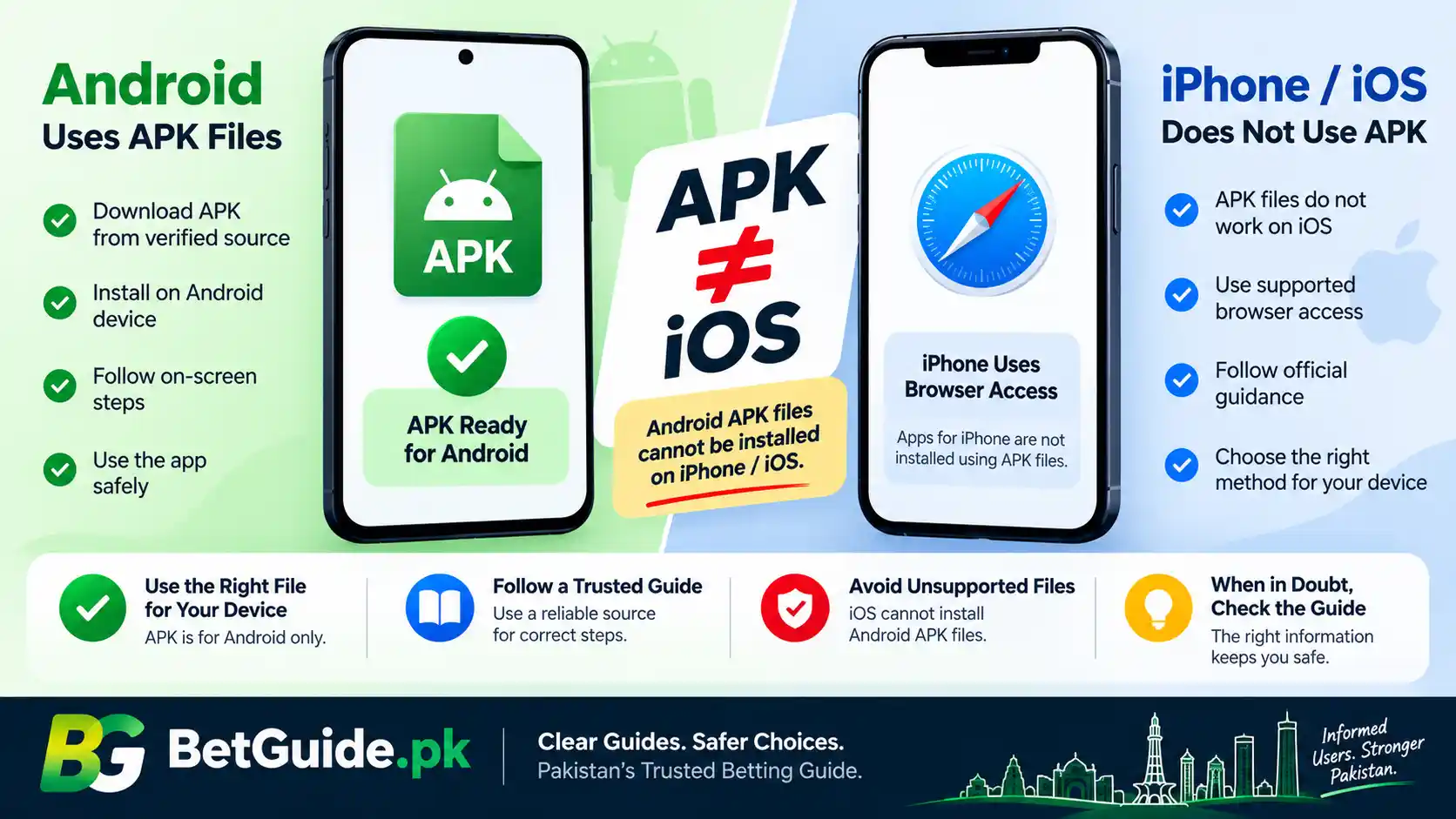
For iPhone and iPad, an APK is not the right file format. A phrase such as “bpexch live apk latest version ios” mixes Android and iOS terminology. We have verified the Android route described above, but this guide does not claim a native BPExch iOS package unless a current approved iOS route can be independently confirmed. iOS users can use a confirmed BPExch web access point instead of trying to install an Android APK.
This guide is for adults aged 18 or older. Betting involves financial risk. Downloading an app does not guarantee account approval, platform access, withdrawals, winnings or profit.
Context
What “BPExch Live APK” usually means
The phrase BPExch Live APK combines several things that users often treat as interchangeable: the BPExch platform name, the bpexch.live web address, Android app access and the APK installation file format. They are related, but they are not identical.
The BPExch Pakistan platform guide currently lists bpexch.com, bpexch.net and bpexch.live as the covered access domains and explains that the same issued account credentials are used across those confirmed web points. That means someone who already has a working issued ID can test the confirmed web route before assuming an app problem is an account problem.
An APK is an Android application package. It is a file used to install an Android app outside or alongside normal app-store distribution. The existence of an APK file does not prove that the file is genuine, current or safe. A copied filename, platform logo or familiar icon can be reproduced by an unrelated uploader.
This distinction matters because searches such as “bpexch net live app apk” can combine a domain name, the Live label, the word app and the APK format in one phrase. Instead of treating every variation as a different product, identify what you actually need: a confirmed web login, the maintained Android download route, account signup guidance or wallet support.
BPExch Live web access and the Android route are different
The bpexch.live address is a web exchange access point covered by BetGuide’s current BPExch guide. It can be opened in a supported browser and does not require an APK just to reach the login page. If your goal is simply to access an existing account, browser access can be the quickest way to establish whether the credentials and account are working.
The Android route covered here is the BPExchange Wallet download route reviewed for this article on 30 August 2026. The maintained BPExchange Wallet Android guide provides its own Download Android APK control, installation guidance, account access information and support navigation. That is the route this article points readers toward instead of publishing a raw APK filename.
Keeping these routes separate avoids a common mistake: downloading a random file because the web login is temporarily inconvenient. If the web page opens but the app does not, troubleshoot the app. If neither route accepts the same issued credentials, investigate account access rather than repeatedly reinstalling files.
BPExch Live APK latest version: what can safely be confirmed
People searching “bpexch live apk latest version” often expect a version number. A responsible guide should not invent one. The maintained Android source can update its file or delivery method, while copied pages can continue displaying an old number long after it stops being useful.
For that reason, BetGuide’s current approach is to point to the maintained download guide and tell users to use the latest file offered there at the time they download. We are not publishing a fixed APK version, build number or file size in this article. If those details are later confirmed from a reliable current source, they should be rechecked immediately before publication or update.
The practical rule is simple: freshness should be established by the current maintained route, not by whichever search result displays the biggest version number. A newer-looking filename from an unknown host is not automatically safer than a file served through the route you deliberately verified.
BPExch Live APK latest version iOS: an important correction
There is no such thing as an Android APK that installs natively on iOS. APK is an Android package format. iPhone and iPad use a different application distribution system, so an “iOS APK” claim should be treated as a warning sign rather than a normal download option.
If you searched “bpexch live apk latest version ios,” use the query to clarify the device route, not to force an incompatible file onto an iPhone. This guide currently verifies an Android BPExchange Wallet route and confirmed BPExch web access. It does not claim a native iOS package without a separately verified current source.
For an iPhone or iPad, using a confirmed BPExch web address is the safer fallback described here. Do not install profiles, configuration files or unknown packages merely because a page says they are needed to turn an APK into an iOS app.
What Works
BPExch Live APK download: use the maintained route
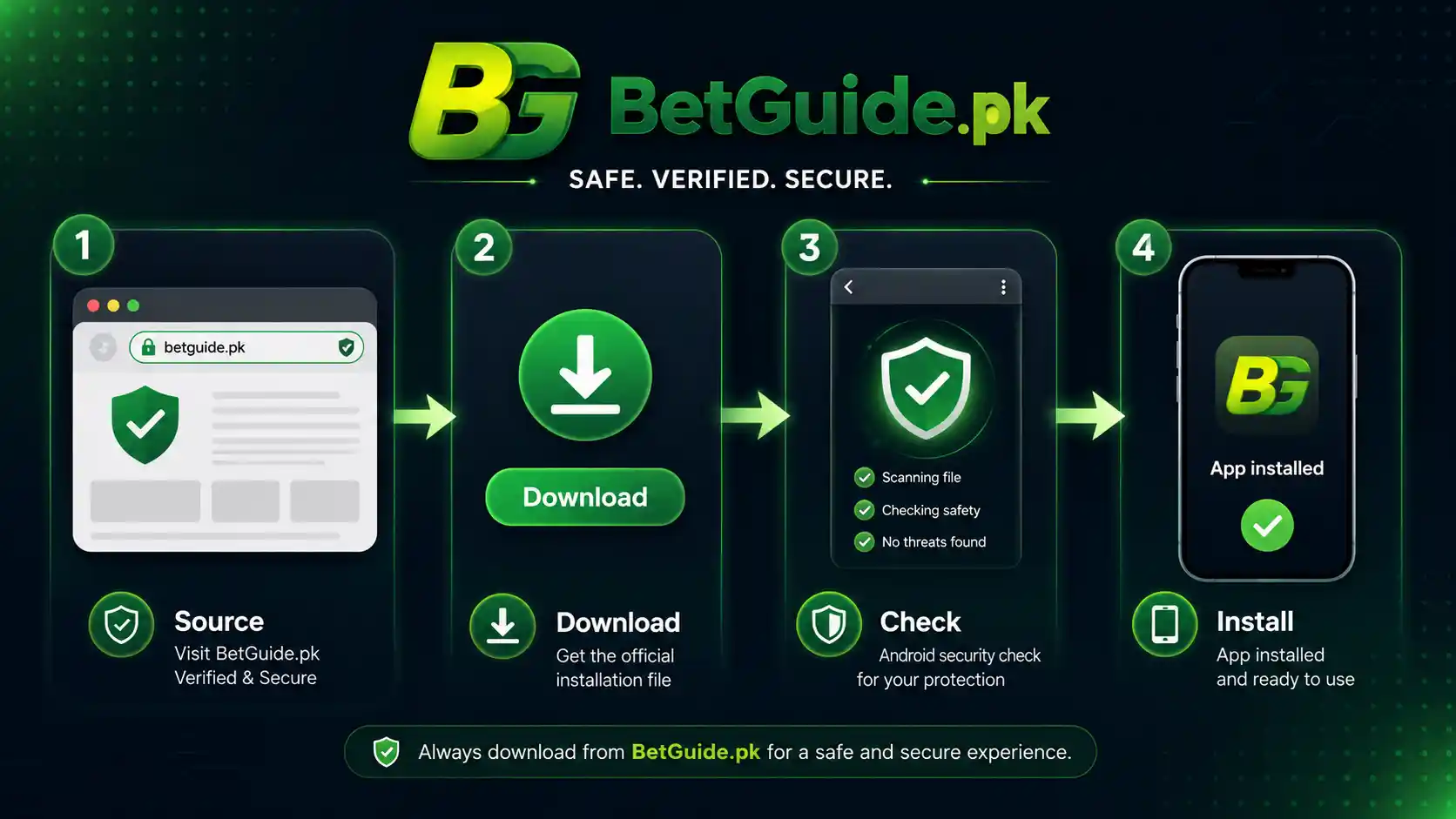
For the current BPExch Live APK download route covered by this guide, start with the BPExchange Wallet Android guide. Its Download Android APK button currently leads to a maintained Android APK download route. The download route may present a verification screen before the file is delivered.
Using the guide page first has an advantage over bookmarking a raw file. A maintained page can update its destination when the current package changes, while a direct filename saved months earlier can become outdated. If the guide and direct route ever disagree, stop and re-check the current platform guidance before installing anything.
Do not substitute a third-party APK mirror, forwarded WhatsApp file, Telegram upload, cloud-drive copy or shortened link simply because the maintained route is slower to open. The fake betting apps in Pakistan guide explains why copied apps and misleading download pages deserve extra scrutiny.
Step 1: confirm what device you are using
Before downloading, identify whether the phone is Android or iOS. Android users may encounter APK installation. iPhone and iPad users should not be looking for an APK package.
On Android, also check that the device is reasonably current and receiving security updates where possible. BetGuide does not publish a universal minimum Android version because the supported requirement can change with the package. If the maintained source states a current compatibility requirement, use that current information rather than an old forum post.
If you are unsure whether installing an APK is necessary, test a confirmed BPExch web route first. A working browser session may satisfy the need without adding another installed app to the phone.
Step 2: verify the destination before you tap download
Check the full destination, not only the button text. A button labelled “Latest APK” can point anywhere. The route used in this guide begins from the maintained BPExchange Wallet Android guide, so start there rather than through an advertisement, copied landing page or unsolicited message.
Avoid judging authenticity by design alone. Logos, colours, screenshots and app icons are easy to copy. A page can look professional while directing visitors to an unrelated file. The useful question is whether the route matches the source you intentionally chose.
If a link unexpectedly redirects through unrelated domains, asks you to install a different app, or demands sensitive account information before it will show the download, stop. Return to the maintained guide and compare the route again.
Step 3: keep Google Play Protect enabled
Google says Play Protect checks Android apps for harmful behaviour, including apps installed from sources outside Google Play. It can warn about potentially harmful apps, deactivate or remove some harmful apps, and may block an unverified application that uses sensitive permissions associated with financial fraud.
That does not make every APK automatically safe, and it is not a substitute for source verification. It is an additional layer. Do not disable Android security protections simply because a download page tells you that warnings are “normal.”
A warning should be read, not clicked through automatically. If the phone blocks installation or reports a serious risk, pause and verify the source again. The goal is access without trading away device security.
Step 4: review permissions instead of accepting everything
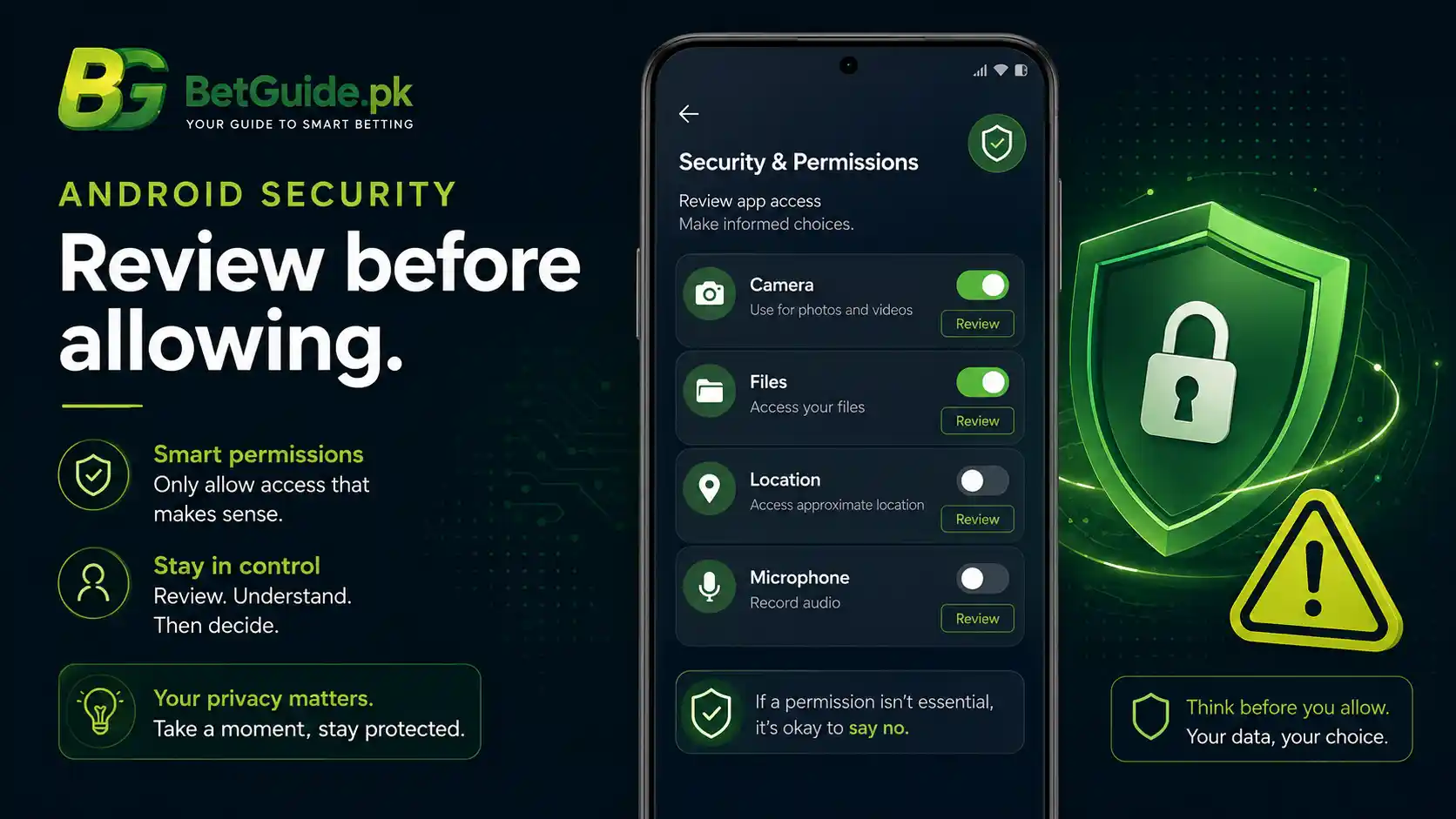
Android lets users review and change individual app permissions. Permissions may cover contacts, files, camera, microphone, location, phone functions, photos, notifications and other data. A request should make sense for the feature you are trying to use.
If a newly installed app asks for broad access that you cannot connect to a clear function, do not assume you must approve it. Check Android Settings, open the app’s permissions and deny access that is unnecessary or unexplained. Google also provides a privacy dashboard on supported Android versions to review recent permission use.
Be particularly careful when an app or message tells you to enable restricted settings without explaining why. Android restricts some settings because harmful apps can misuse them. A legitimate need should still be understandable before you change a security control.
Step 5: decide whether you are a new user or an existing user
An APK download is not the same thing as account creation. If you already have an issued BetPro ID used within the BPExch ecosystem, start with those existing credentials rather than requesting duplicate accounts simply because you installed a different access method.
If you do not yet have the required account credentials, use the BPExch registration guide for Pakistan for the dedicated registration and signup explanation. The BetPro ID Pakistan guide explains the dealer-issued ID model that BetGuide currently documents for this ecosystem.
This separation keeps the process understandable. The APK solves mobile access. Registration solves the new-account question. Login troubleshooting solves a credential problem. Mixing all three often leads users to repeat steps that were never broken.
Step 6: install only the file you intentionally requested
When Android presents the installation screen, confirm that you are installing the file you deliberately requested from the maintained route. Do not continue if the filename, app identity or destination suddenly appears unrelated.
Android may require temporary permission for the browser or file manager to install an app from that source. Grant only what is necessary for the installation you chose, then review the setting afterward. Do not enable broad device controls because a random tutorial says every APK needs them.
After installation, open the app normally and observe whether it behaves as expected. Immediate demands for unusual permissions, unrelated downloads or unexpected device-control changes are reasons to stop rather than continue exploring.
Step 7: protect your login credentials
Use your issued login details only on a route you have verified. Never send a password, OTP, PIN, recovery code or device-unlock code to someone who says they need it to “activate” the APK.
The same principle applies to screenshots. A support conversation does not require you to expose everything visible in your account, banking app or notification panel. Crop or redact unnecessary private information if you ever need to document a technical problem through a confirmed support channel.
If you have forgotten the issued password, do not solve that by creating another account or downloading another APK. Use the appropriate account recovery path described in BetGuide’s BPExch and BetPro guidance.
Step 8: use the browser as a diagnostic fallback
The confirmed BPExch web domains are valuable even if you prefer an Android app. If the app will not open, crashes, or rejects credentials, test the same account on a confirmed web access point before deciding what failed.
If web login works but the app does not, the problem is more likely to be related to the app installation, version, device, permissions or local settings. If web login also fails, focus on the domain and credential checks rather than repeatedly reinstalling the APK.
This simple comparison reduces unnecessary account changes. It also keeps you from trusting a third-party “fix” that asks for credentials or money before identifying whether the problem is actually the app.
Step 9: keep the download route, not an old APK archive
When you want an update later, return to the maintained BPExchange Wallet guide instead of keeping a collection of old APK files. An archived package may lack newer security changes or may simply stop working with the current service.
Do not assume that an “old version” is preferable because it installed successfully once. Compatibility and account support can change. The current route is the appropriate place to check what is being offered now.
If a future update introduces a confirmed version number, treat that number as time-sensitive. Check it again before publishing, sharing or relying on it.
Step 10: connect mobile access to the right BetGuide help
The BPExch Pakistan guide remains the main reference for confirmed domains, account relationships and broad access. Use the BPExch Wallet guide when the question is specifically about wallet terminology and wallet access.
Use the registration article when you are trying to join, not when you simply need to reinstall an app. Use the betting app, login and password help centre when the problem is broader than BPExch and you need general device or access checks.
For safety concerns involving copied apps, misleading files or phishing, use BetGuide’s fake-app guidance rather than experimenting with suspicious downloads.
Trade-offs
APK convenience comes with extra responsibility
An APK can offer direct Android access without relying on a conventional app-store listing, but that convenience places more responsibility on the user to verify the source. With a store-distributed app, some checks are handled by the distribution platform. With a separately downloaded APK, the route itself becomes part of your security decision.
This does not mean every APK is unsafe. It means a filename is weak evidence. The National CERT of Pakistan has documented Android campaigns in which malicious “evil twin” apps mimic legitimate applications and can deliver additional harmful payloads. That makes source discipline practical, not theoretical.
For a betting-related account, the stakes are higher because the device may also contain messages, payment apps and account credentials. Avoid turning one access problem into a wider privacy or financial-security problem.
The latest version is a moving target
Users naturally want a version number because it feels precise. Unfortunately, a number that is correct today can become wrong after an update. Publishing a permanent number without a reliable update process creates false confidence.
That is why this guide uses the maintained download route rather than pretending a specific build will remain current. The trade-off is that readers must click through and confirm what the route offers at the time of download.
This is less flashy than displaying “latest version X.Y.Z,” but it is more defensible. If a current version is independently verified later, BetGuide can add it with a review date and remove it when it becomes stale.
Browser access may be simpler than installing an app
Some users prefer an installed app because it creates a dedicated icon and mobile workflow. Others may be better served by confirmed browser access, especially when they only need occasional login.
Using the browser means fewer installed packages and fewer app permissions to manage. Installing the APK can make repeated access more convenient but introduces another component that can become outdated or malfunction.
Neither route guarantees better betting outcomes. Choose based on access needs, device security and the current supported route, not promises of better odds, faster withdrawals or guaranteed winnings.
iOS users should not force an Android solution
The strongest trade-off for iPhone users is simple: this guide’s verified APK route is Android-specific. Trying to make an APK work on iOS pushes users toward unofficial conversion tools, profiles or downloads that are outside the verified path.
Use confirmed web access unless a current iOS route is independently established. A page that tells an iPhone user to install an “iOS APK” is using technically incorrect language.
Waiting for a verified route is better than installing an unknown package because the search phrase contains the word iOS.
Next Steps
Before downloading
First, decide whether you need the Android app at all. If confirmed web access meets your need, there is no requirement in this guide to install an APK. If you want Android app access, open the maintained BPExchange Wallet Android guide and check that the destination is the route you expected.
Keep Play Protect enabled. Read warnings. Do not disable device protections merely to satisfy a third-party tutorial. Confirm that you are using Android, not iOS, and avoid old APK archives from unknown hosts.
If you are a new user, complete the correct account path separately. Do not mistake downloading an app for creating a valid BPExch account.
After downloading
Confirm that the installation screen relates to the file you intentionally requested. Review permissions after installation and deny access that is unnecessary or unclear. Keep your password, OTP, PIN and recovery information private.
Open the app and compare its behaviour with the maintained guide. If login works, keep the download guide bookmarked for future updates rather than saving random APK copies.
If the app does not work, test a confirmed BPExch web route. That comparison tells you whether to investigate the app or the account.
If something looks wrong
Stop if the file came from an unexpected host, the app asks for unexplained sensitive permissions, Android presents a serious security warning, or someone demands private credentials to complete installation.
Do not pay someone merely to “unlock” an APK. Do not send banking PINs, wallet PINs, OTPs or recovery codes. If the issue is account access, use the original confirmed account or support route rather than an unknown person who contacted you first.
If you suspect a malicious betting app, review the fake betting apps in Pakistan safety guide and consider removing the suspicious package while following Android security guidance.
Micro-FAQs
Where can I get the BPExch Live APK download?
For Android, this guide directs readers to the maintained BPExchange Wallet Android guide and its Download Android APK button. BetGuide does not publish a permanent raw APK filename or fixed version number because the current file can change.
What is the BPExch Live APK latest version?
Use the latest file offered through the maintained Android route at the time you download. This article does not invent or permanently hard-code a version number. Re-check the source whenever you update or reinstall.
Is there a BPExch Live APK latest version for iOS?
No Android APK installs natively on iOS. This guide verifies an Android route and confirmed BPExch web access, but it does not claim a native iPhone package without a current independently verified iOS source.
References
BetGuide’s BPExch Pakistan guide is the main internal reference for the currently covered BPExch domains, account model, broad login guidance and mobile-access safety.
The BPExchange Wallet Android guide is the maintained route referenced here for Android download guidance. Its Download Android APK button currently leads through the maintained download route rather than a permanently published raw filename.
Google’s Play Protect guidance explains how Android checks apps for potentially harmful behaviour, including apps obtained outside Google Play. Google’s Android app-permissions guidance explains how users can review and change individual permissions.
Google’s restricted settings guidance warns that harmful apps can try to persuade users to change settings that put device data at risk. Pakistan’s National CERT has also published an Android evil-twin app advisory describing malicious apps that imitate legitimate applications.
Conclusion
If you are an adult in Pakistan and want BPExch Live APK access after reviewing the risks, begin with the current maintained Android guide, verify the destination, keep Android protections enabled and protect your issued credentials. For broader platform details, read the BPExch Pakistan account and access guide; for a new account, use the BPExch registration guide.
BetGuide.pk is an independent informational website. It does not operate BPExch, issue platform accounts, control platform domains, hold balances, process deposits or withdrawals, or guarantee access or financial outcomes. Real-money betting is for adults aged 18 or older and involves financial risk. Set limits before spending, never chase losses, and use BetGuide’s responsible gaming guidance if betting is causing financial or personal harm.